Armjisoft Corporation - The Ultimate Digital Rights Management ( DRM ) and Data Security Solutions For Every Security & E-Commerce System The Ultimate DRM and Data Security Solutions For Every E-Commerce & Security System

 OwnerGuard

  What is OwnerGuard ?

  Data Licensing Systems

  License Distribution Systems

  User-Side License Manager

 Reseller Licensing System

 Multiple Ownership Rights

 License Transferring

 Indirect Licensing

 Partners and Customers

  Customers and Reviews

  Resellers

  Link To Us

 Links


 Keywords

  Excel Protection

  Word Protection

  PDF Protection


Microsoft Compiled HTML (CHM) Security, Copy Protection, Digital Rights Management (DRM) and Distribution Management Solution

CHM OwnerGuard  ( Version  10.1.8 )


Table Of Contents

Goto Descriptions About Microsoft Office OwnerGuard - Microsoft Excel DRM, Security , Microsoft Word Security DRM, Microsoft PowerPoint DRM Security System solution.  Description

Goto Features of Microsoft Office OwnerGuard - Microsoft Office Excel Documents DRM (xls, xlsx), Microsoft Office Word Documents DRM (doc, docx), Microsoft Office PowerPoint Presentations DRM (ppt, pptx) and Security  Features

  DRM Systems Comparison

Complete Video Presentation Of OwnerGuard Features  Licensing Process

Complete Video Presentation Of OwnerGuard Features  Video Presentation

Office OwnerGuard Screenshots  Screenshots

  Download and Editions

Sample DRM Security DRM Protected Excel Document, DRM Protected Word Document, DRM Protected PowerPoint Presentation  Sample DRM Protected CHM

  System Requirements

Microsoft Office OwnerGuard DRM Rights Security Systems Awards  Customers and Reviews

Microsoft Office OwnerGuard DRM Rights Security Systems Awards  Security and DRM Awards


Unique Package for Security, Publishing and Digital Rights Management ( DRM ) for Microsoft Compiled HTML Help (CHM) Documents.

Description

CHM OwnerGuard is the unique  Security, DRM, Copy Protection, Licensing and Distribution Management solution for Microsoft Compiled HTML (CHM) Documents.
This product is made specially for internal company documents security and publishers of high value information published in CHM format.

   Download Personal Edition


With CHM OwnerGuard you can :


  Lock your CHM documents to specific computer(s).

  Control and apply all required limitations for your users using a very small user side DRM manager component ( OwnerGuard License Manager )  .

  Minimize your users DRM hassles by letting them access your files offline.

  Distribute and Sell your CHM documents easily while you've got full control over them.

  Cooperate in Creating, Editing or distributing CHM documents while OwnerGuard protects ownership rights for owner(s).

  Gain full control over your sensitive documents usages.

  Make sure that no one can access your documents without your license.


Features

  Advanced 256 bit AES encryption system for protected files.

  Support wide range of limitations for data users including Machine-Dependency, Windows-Dependency, OLE Drag&Drops, Printing, Clipboard, Modification, Screen-Capture, Working Duration, Expiration Date, Open Count, Creation Count and ....

  Advanced digital rights protection system to protect your ownership while new files are creating using your licensed files.

  Online licensing system for licensed files in local networks or internet.

  Offline licensing system (License Code) for licensed files to ease data marketing on the net.

  Support ActiveX Objects to use with server pages or other applications to automate licensing process over internet or ...

  Support Machine Dependent/Independent license codes.

  Support multiple/single digital ownership rights for protected files.

  Support multiple projects creation to make groups for your licensed files.

  Fully functional hierarchical reseller licensing system to ease license distribution on the net.

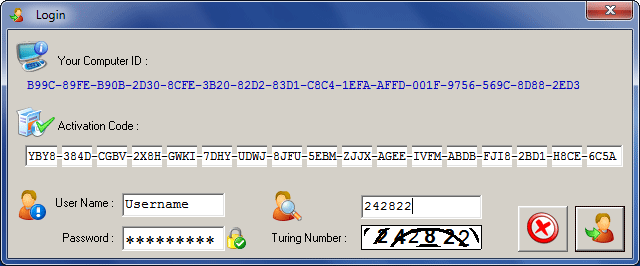
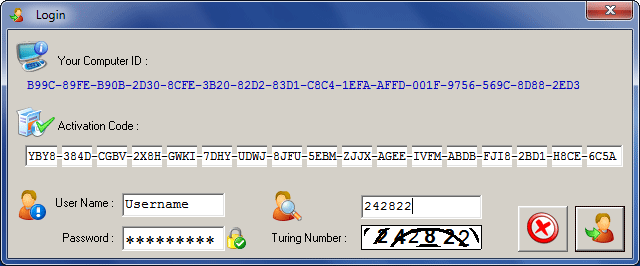
  Strong login system to prevent unauthorized users to access owners licensing system on his computer.
 

OwnerGuard Step By Step Protection / Licensing Process

1 - Start

2 - Create Projects

3 - Protect Your Files

4 - Distribute DRM Protected Files

5 - User License Manager

6 - Create Licenses For Users

6-1 - Manual Licensing

6-2 - Batch Licensing

6-3 - Automatic Licensing

7 - Using Licenses

7-1 - License Files

7-2 - License Codes

8 - Using Protected Files


Screenshots

Login System

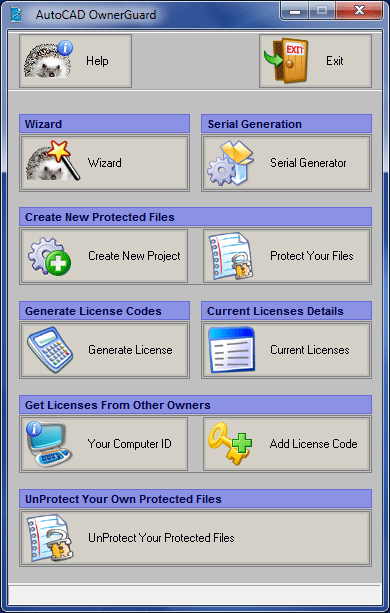
   Main Window

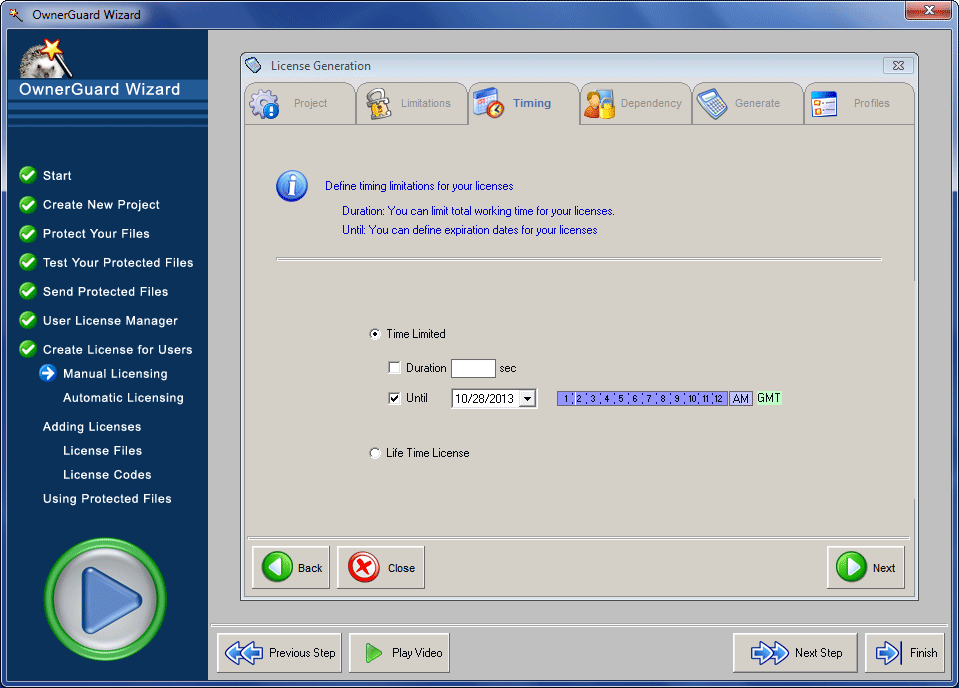
OwnerGuard DRM Wizard

Microsoft Office OwnerGuard - Strong login authorization system

Microsoft Office OwnerGuard Main Window

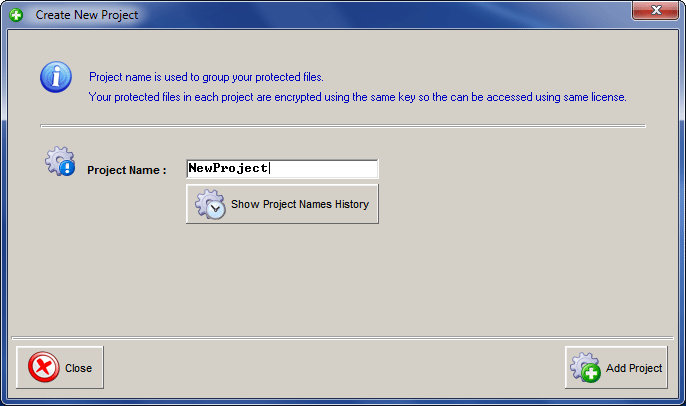
 Create New Project (Local Licenses)

Create DRM Protected Documents

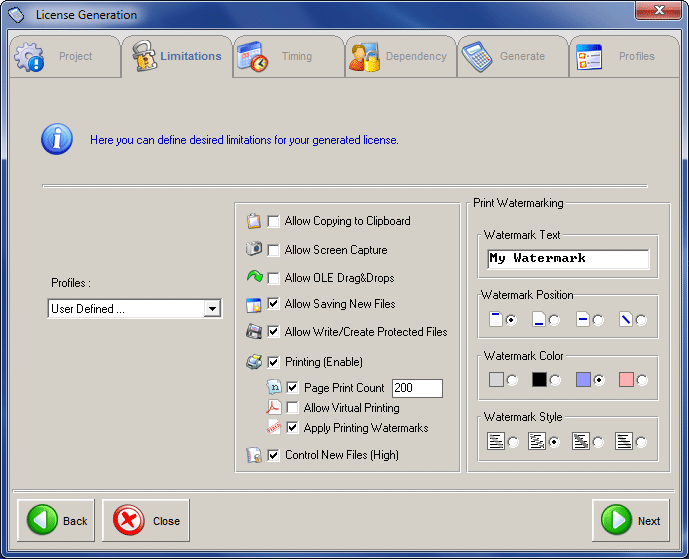
Create Licenses

Microsoft Office OwnerGuard - Create New Project For DRM Protected Microsoft Office Excel, Word, PowerPoint Documents

Protect Your Microsoft Office  Word, Excel, PowerPoint Documents

Microsoft Office OwnerGuard - Create License Codes For Your DRM Protected Microsoft Office Documents

User Side DRM Manager (User License Manager)

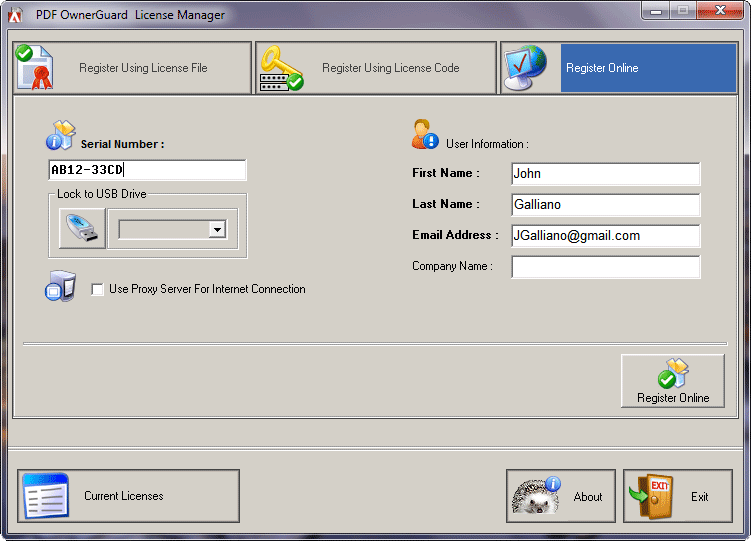
Online License Request

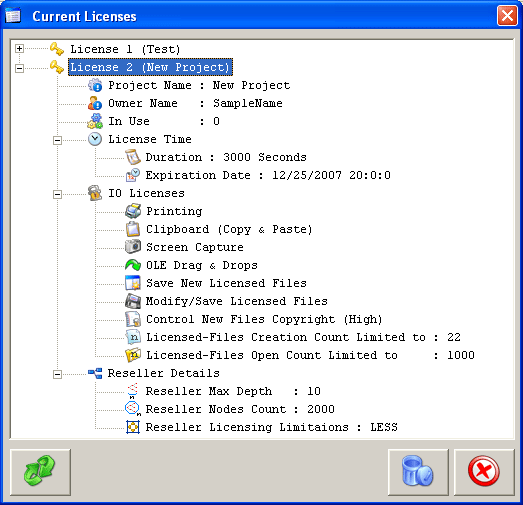
Current Licenses List

Microsoft Office OwnerGuard - Adding License Codes (Offline Licensing)

Online Office Documents License Distribution System for Internet or Local Networks

Microsoft Office OwnerGuard - Microsoft Office Documents Licenses and Details


Editions

  Feature Support

Personal

Advanced

Enterprise

Enterprise Server

  Online Licensing Systems
  Create DRM Protected CHM Files
  Access DRM Protected CHM Files
  Support License Limitations
  Use License Codes
  Generate License Codes  
  Login Authorization System
  Technical Support
  Batch Licensing     In this edition, reseller systems are fully supported in online and offline (License Code) licensing. In this edition, reseller systems are fully supported in online and offline (License Code) licensing.
  Reseller Systems Support     In this edition, reseller systems are fully supported in online and offline (License Code) licensing. In this edition, reseller systems are fully supported in online and offline (License Code) licensing.
  ActiveX Objects Support      
  Free      
  Download  CHM OwnerGuard (Personal) Microsoft Compiled HTML Help (CHM) Digital Rights Management ( DRM ) Solution

Download

Order CHM OwnerGuard (Advanced) - Ultimate Microsoft Compiled HTML Help (CHM) Digital Rights Management ( DRM ) Solution for Windows

Order Now

Order PDF OwnerGuard (Enterprise) - Ultimate Microsoft Compiled HTML Help (CHM) Digital Rights Management ( DRM ) Solution for Windows

Order Now

Order PDF OwnerGuard (Enterprise Server) - Ultimate web based e-commerce solution for Microsoft Compiled HTML Help (CHM) documents.

Order Now

System Requirements

  CHM OwnerGuard supports all  Windows NT families including Windows NT 4.0, 2000, XP 2003, Vista and Windows 7..

Windows XP Compatible Windows Vista Compatible


Customers and Reviews


Click Here to See Armjisoft Customers and OwnerGuard Reviews


Awards


Click Here to See CHM OwnerGuard  Awards


Step 1 : Start

  • This wizard is a step by step guide on using OwnerGuard Protection, Licensing and Distribution systems.

  • In each step you can see a complete video training.


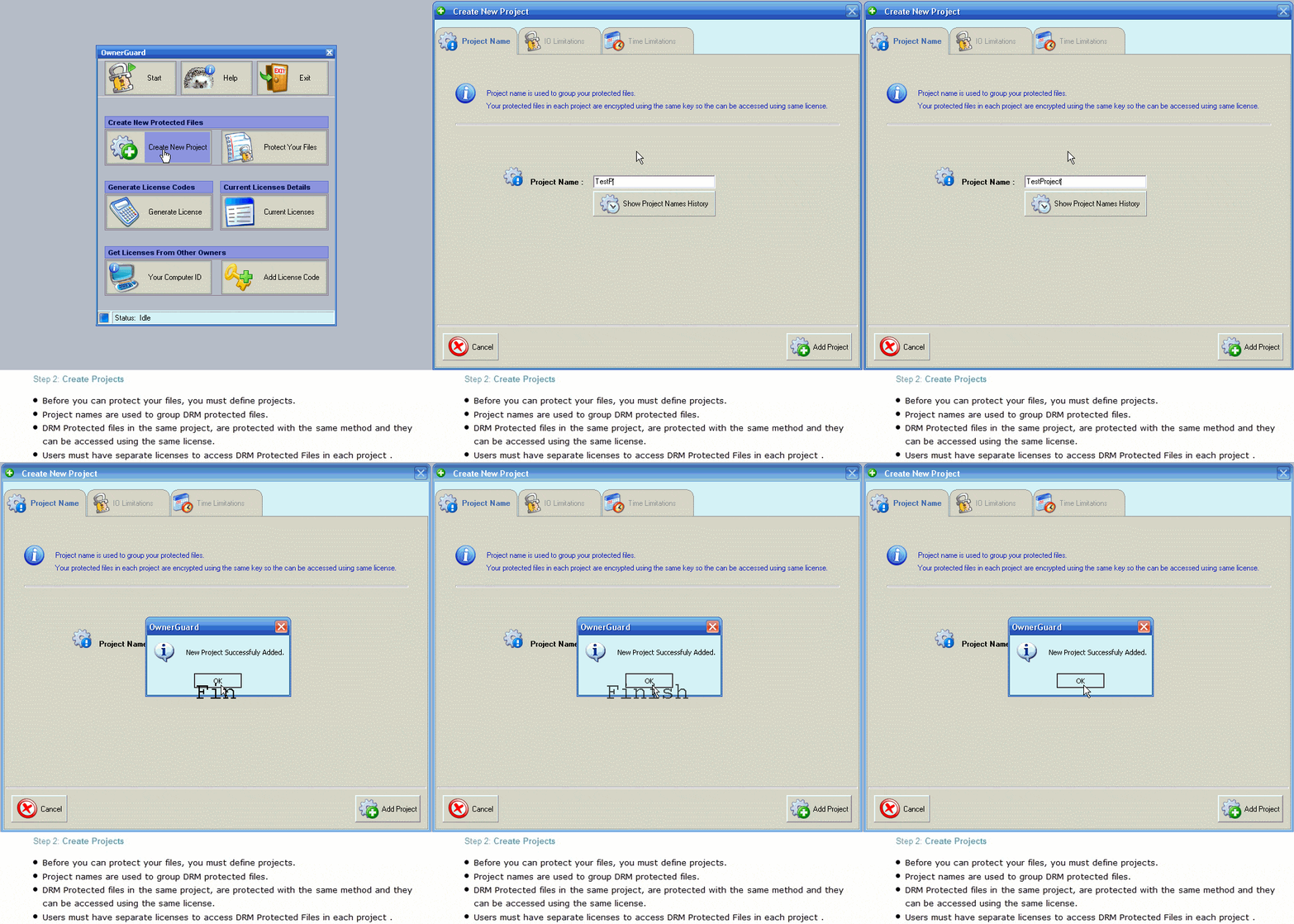
Step 2 : Create Projects

  • Before you can protect your files, you must define projects.

  • Project names are used to group DRM protected files..

  • DRM Protected files with same project name are protected with same method and they can be accessed using same license.

  • Users must have separate licenses to access each project DRM Protected Files.


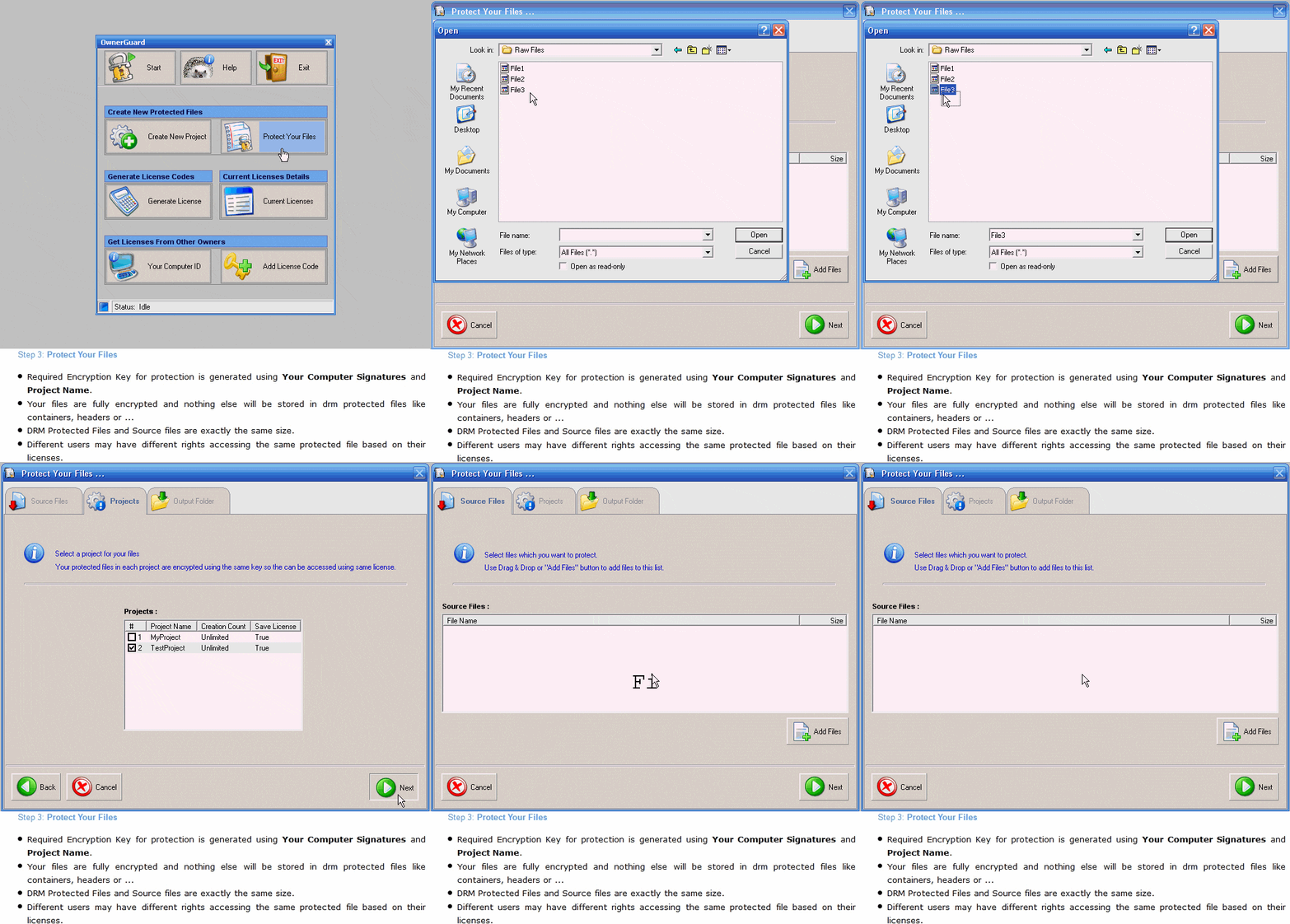
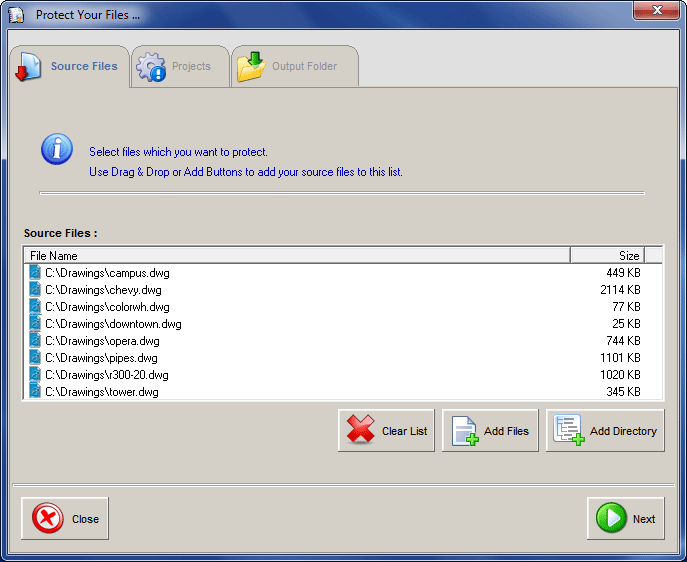
Step 3 : Protect Your Files

  • Required Encryption Key for protection is generated using Your Computer Signatures and Project Name.

  • Your files are fully encrypted and nothing else will be stored in drm protected files like headers or ...

  • DRM Protected Files and Source files are exactly the same size.

  • DRM Protected files are the same for all users so it's only your licenses that make privilege/limitation differences for each user.


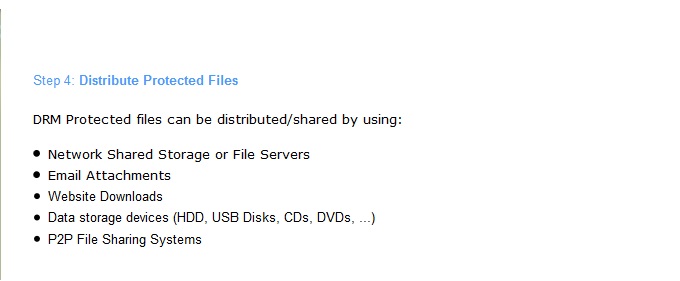
Step 4 : Distribute Protected Files

DRM Protected files can be distributed/shared by using :

  • File Sharing Over Networks

  • eMail Attachments

  • Website Downloads

  • Storage Systems (HDD, USB Disks, CDs, DVDs, ...)

  • P2P File Sharing Systems


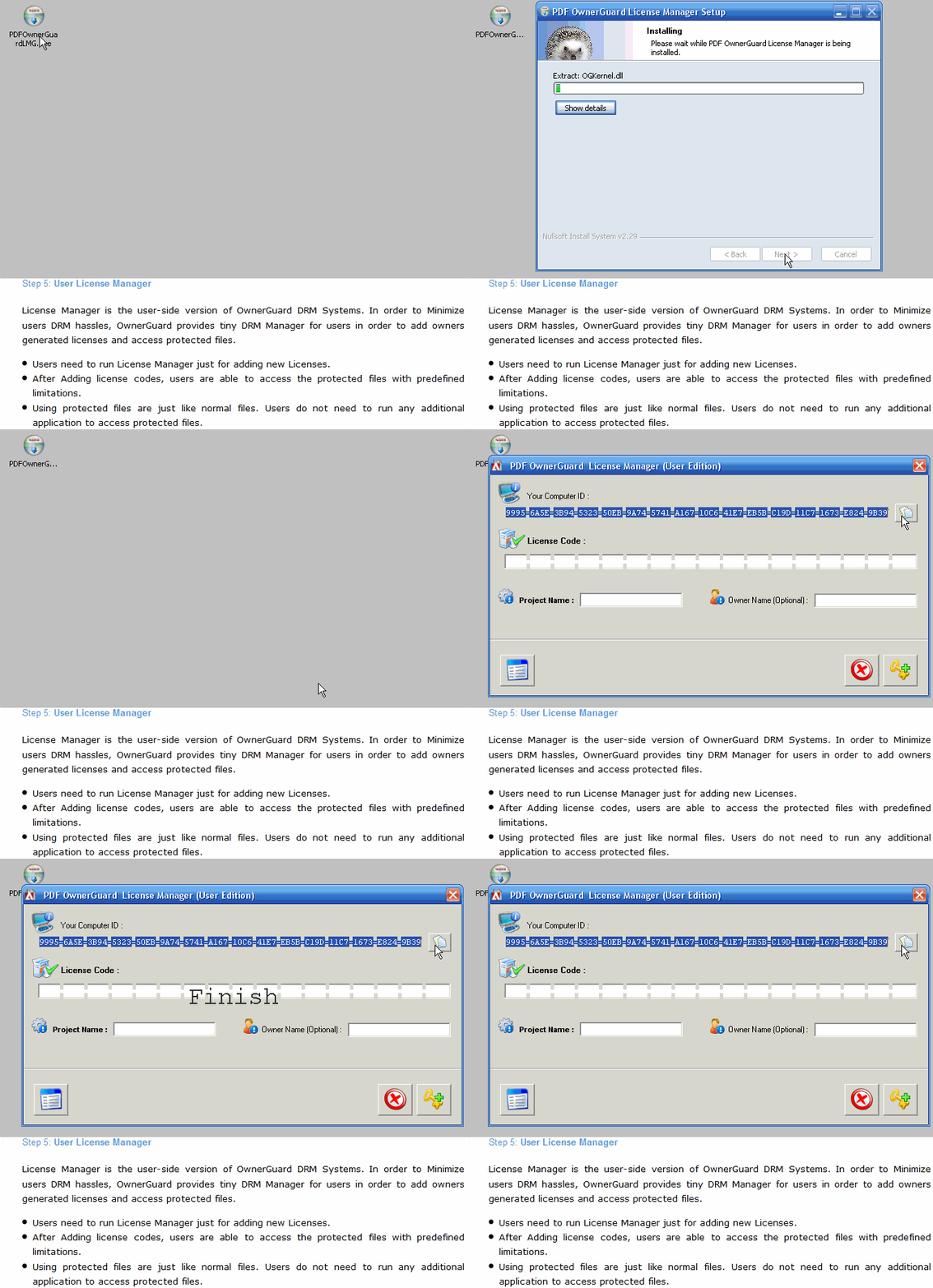
Step 5 : User License Manager

License Manager is user-side version of OwnerGuard DRM Systems. In order to Minimize users DRM hassles, OwnerGuard provides tiny DRM Manager for users in order to add owners generated licenses and access protected files

  • Users need to run License Manager just for adding new Licenses

  • After Adding license codes, users are able to access the protected files with predefined limitations.

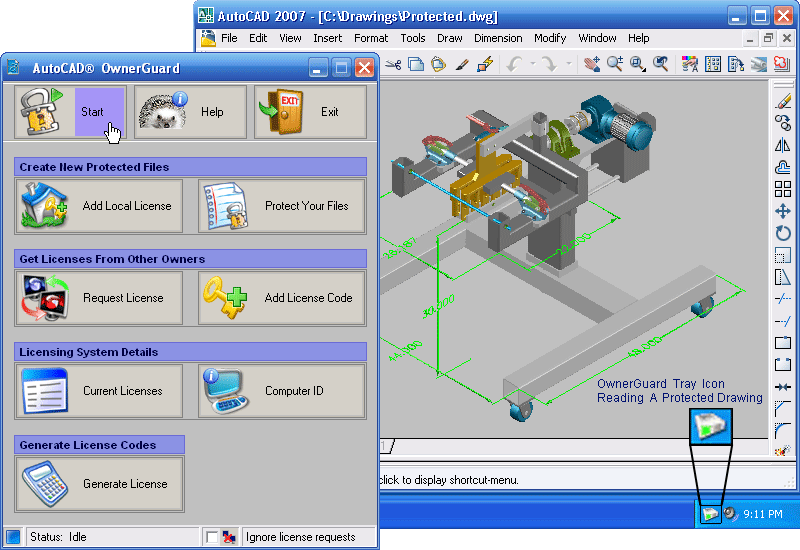
  • Using protected files are just like normal files. Users do not need to run any additional application to access protected files. Users do not feel License Manager presence while working with protected files.


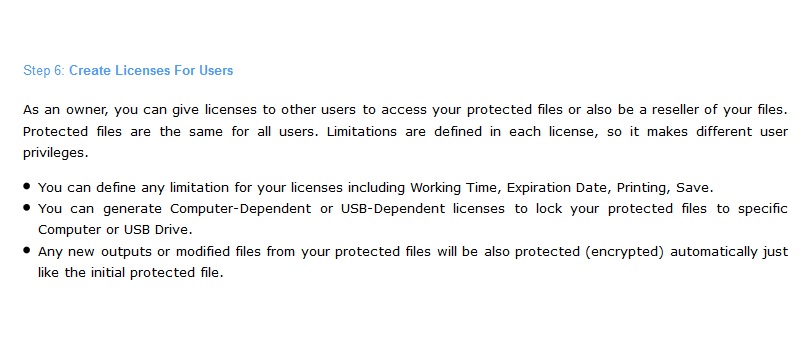
Step 6 : Create Licenses For Users

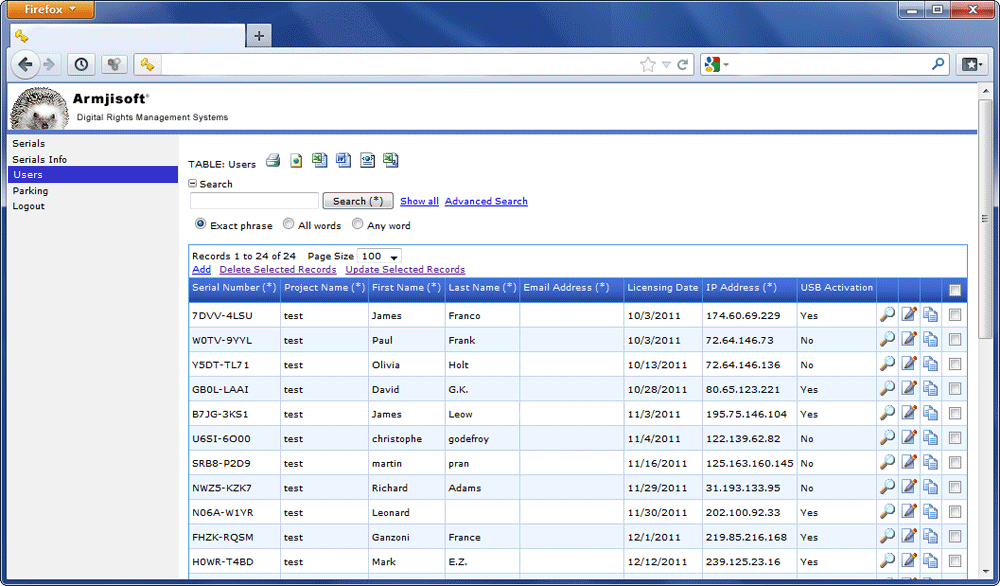
As an owner, you can give licenses to other users to access your protected files or also be a reseller of your files. Protected files are the same for all users. Limitations are defined in each license, so it makes different users privileges .

  • You can define any limitation for your licenses including Working Time, Expiration Date, Printing, Save.

  • You can generate Computer-Dependent licenses to lock your protected files to specific computer(s).

  • Any new outputs or modified files from your protected files are also protected (encrypted). So other users also need your license to access these files.


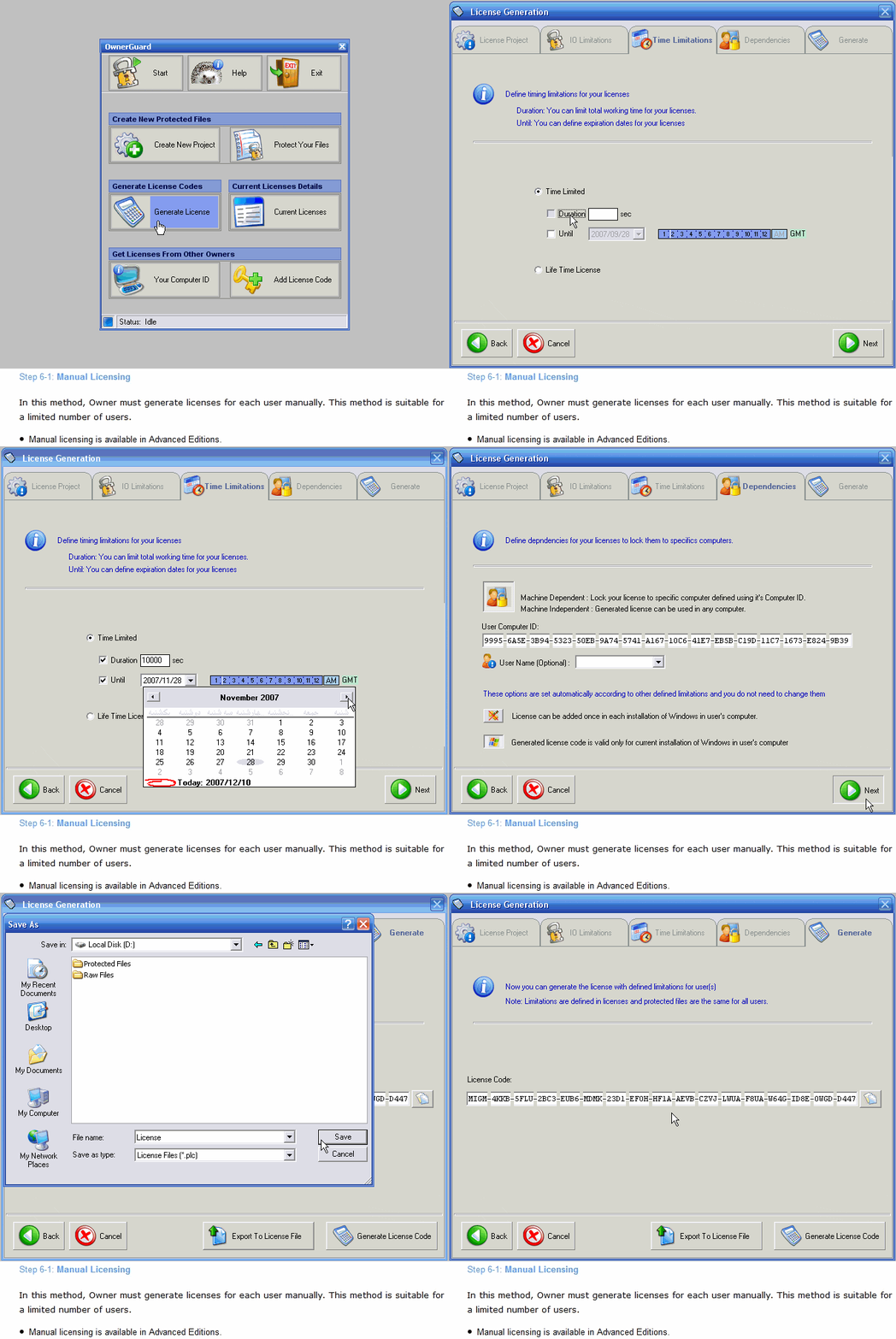
Step 6-1 : Manual Licensing

In this method, Owner must generate licenses for each user manualy. This method is suitable for limited number of users.

  • Manual licensing is avaliable in Advanced Editions.


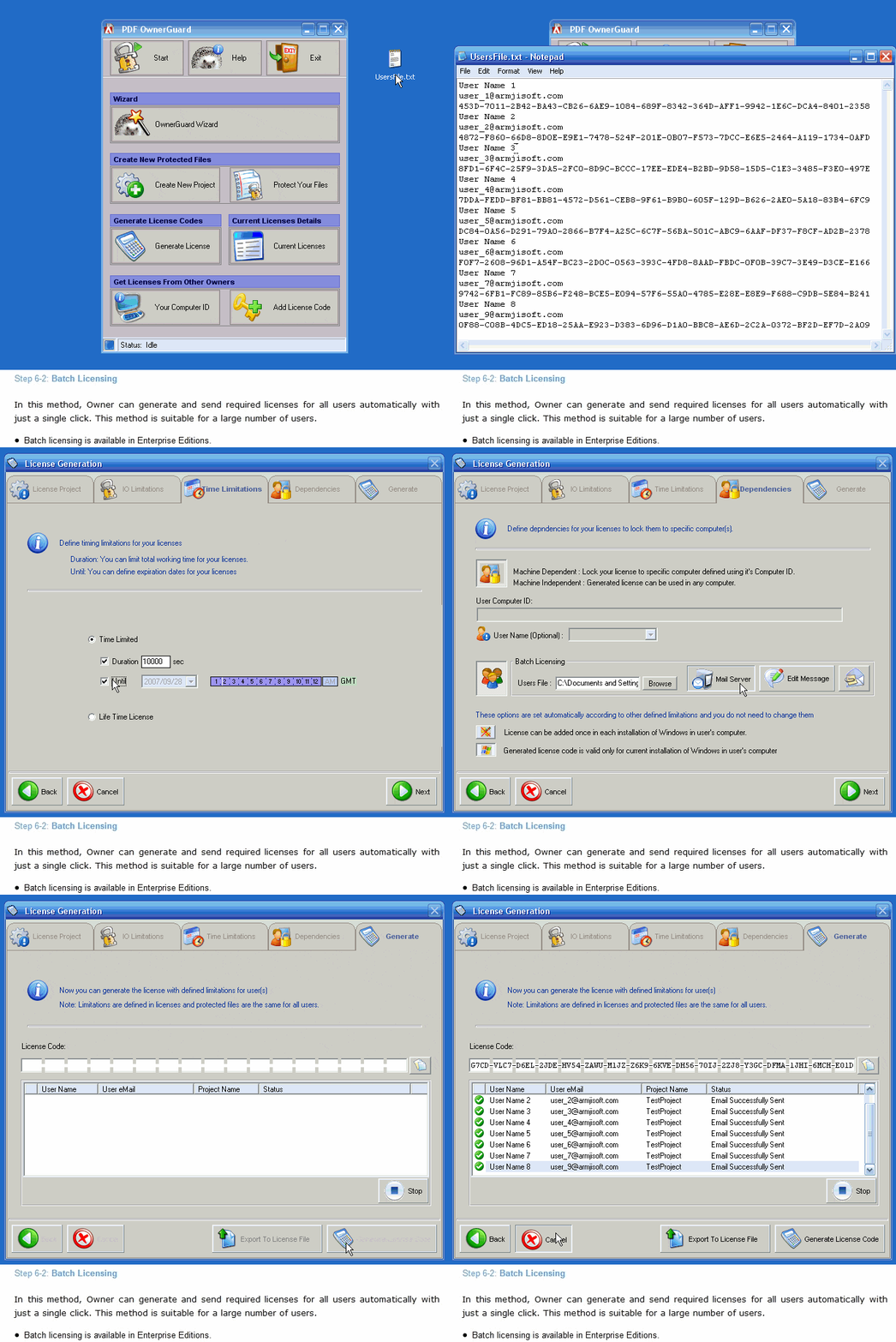
Step 6-2 : Batch Licensing

In this method, Owner can generate and send required licenses for all users automatically with just a single click. This method is suitable for larg number of users.

  • Batch licensing is avaliable in Enterprise Editions.


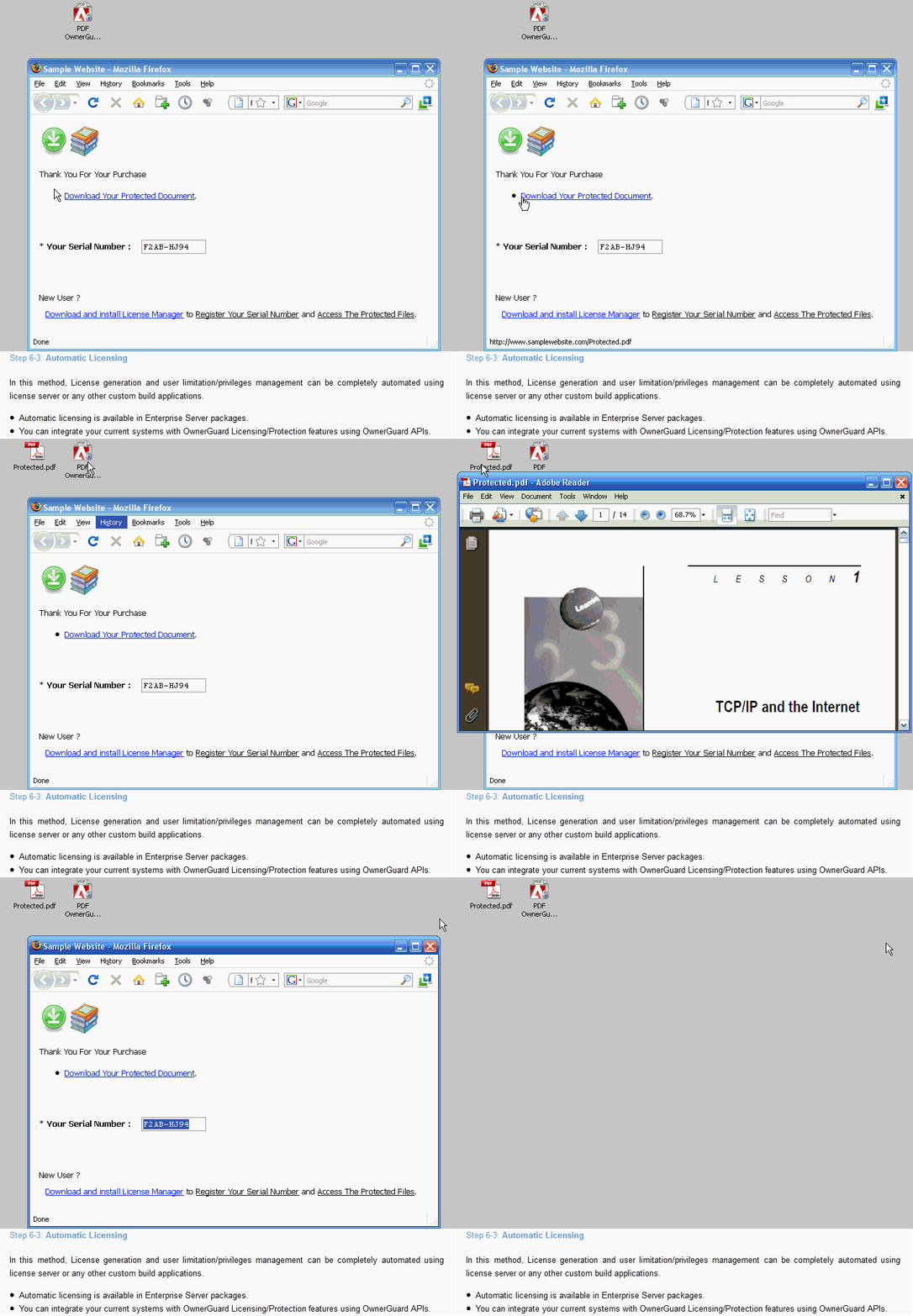
Step 6-3 : Automatic Licensing

In this method, License generation and user limitation/privilages can be completely automated using a web-based system or any other custom build applications.

  • Automatic licensing is avaliable in Enterprise Server Editions.

  • You can integrate your current systems with OwnerGuard Licensing/Protection systems using OwnerGuard APIs.

  • You can make your own customized licensing/management applications using OwnerGuard ActiveX interfaces.


Step 7 : Using Licenses

Before accessing drm protected files, users need to get approprite licenses from owner(s) and add them in their system using License Manager.

  • Users need to run License Manager just for adding new Licenses

  • After Adding license codes, users are able to access the protected files with predefined limitations.

  • Using protected files are just like normal files. Users do not need to run any additional application to access protected files. Users do not feel License Manager presence while working with protected files.


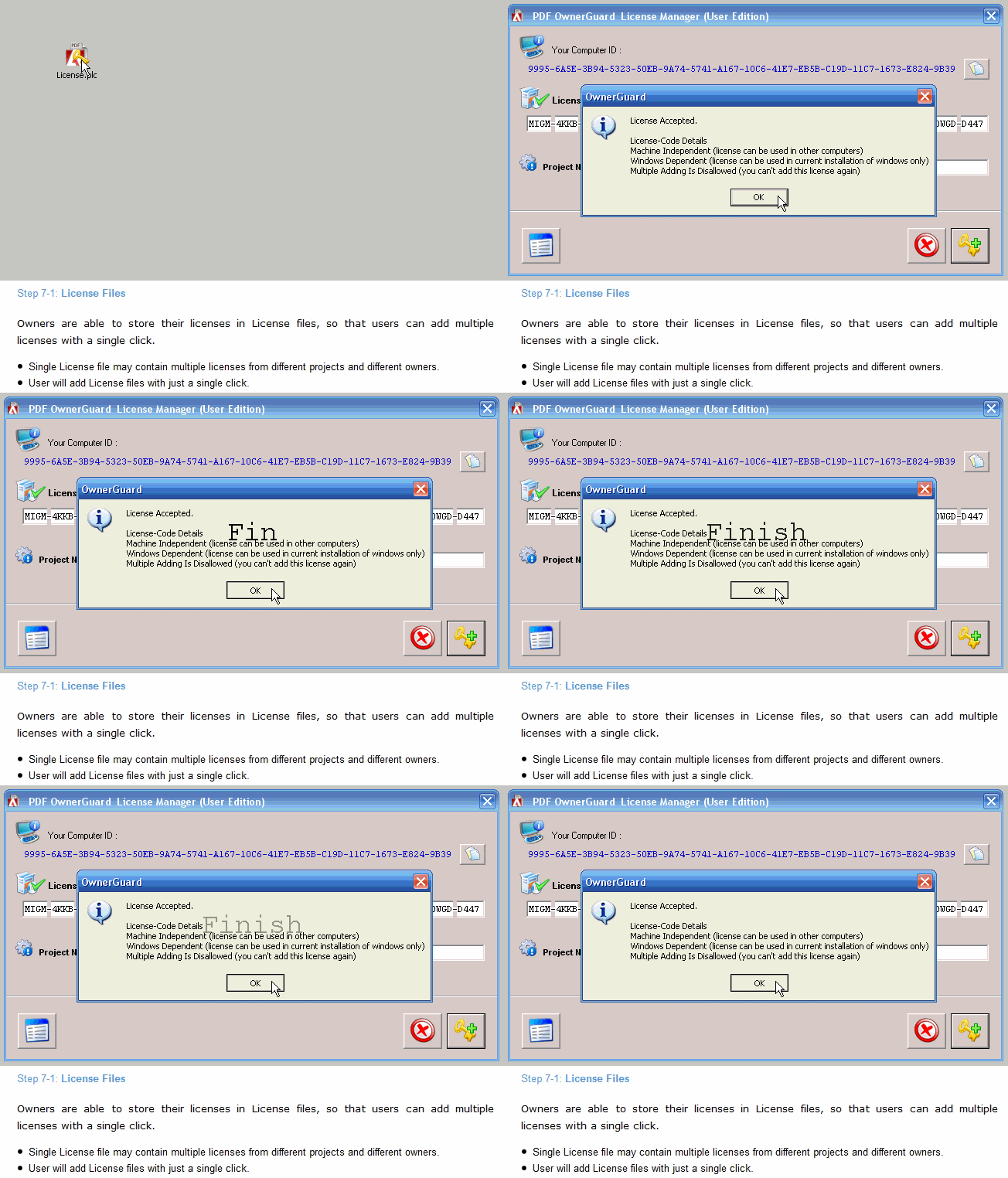
Step 7-1 : License Files

Owners are able to store their licenses in License files, so that users can add multiple licenses with a single click.

  • Single License file may contain multiple licenses from different projects and different owners.

  • User will add License files with just a single click.


Step 7-2 : License Codes

Owners can generate and distribute their licenses in the form of License Codes.

  • License codes are easy to generate and distribute in web based systems.

  • License codes can be transfered using any contacting system (phone, paper, mail or ...)


Step 8 : Using Protected Files

Using protected files are just like normal files. Users do not need to run any additional application to access protected files. Users do not feel License Manager presence while working with protected files.

Owners can access their protected files by starting protected mode in Advanced and Enterprise editions.